
Cash and XP: compare Player Kill locations
Set Cash and XP to Player Kill, both players outside, Small arms and 60 players on server. The worked result is $300 Cash and 250 Role XP. The By location table shows $1,500 when both positions are in a Control Zone and $3,000 when both are in a Hot Zone under the displayed conditions. Role XP remains 250 in those three rows.
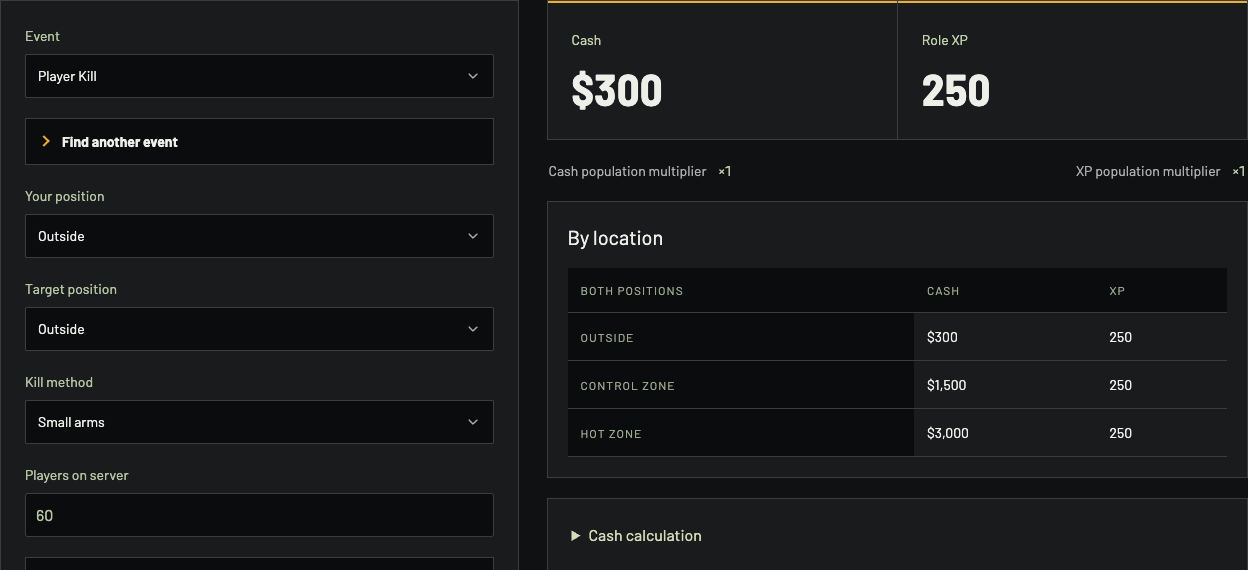
The selected Outside / Outside event pays $300; the table shows how zone location changes Cash.
Enter one event, then change one condition
Choose an Event or Find another event. For Player Kill, set your position, the target's position, kill method and server population. Do not apply the Hot Zone row to a kill where one player was outside; those positions are separate inputs. More circumstances exposes other conditions for the event. Reset settings restores the starting case.
Open Cash calculation to inspect the factors behind the number. The worked screenshot exposes a repeat limit of 4 and zero previous rewards from this target. If you change the repeat count, inspect the calculation again rather than multiplying the $300 headline yourself. XP calculation provides the separate role-XP path.
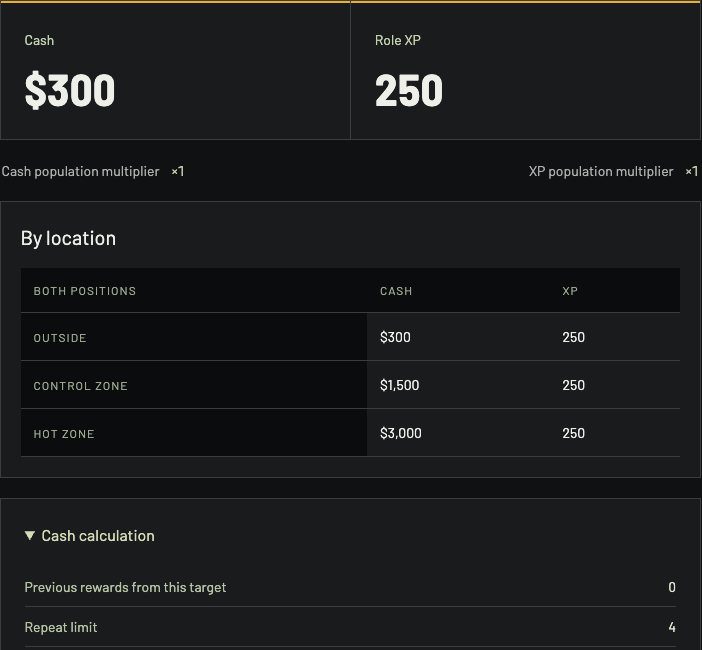
The receipt makes the repeat limit and previous-target count visible beside the payout table.
Put a plausible result in a budget
Use Bankroll to compare a kit purchase with a reward scenario. The selected Player Kill result models one event, not all actions in a match. Copy link keeps event and circumstances together so another player can inspect the same calculation.